Prompting for beginners
Write your first good AI prompt.
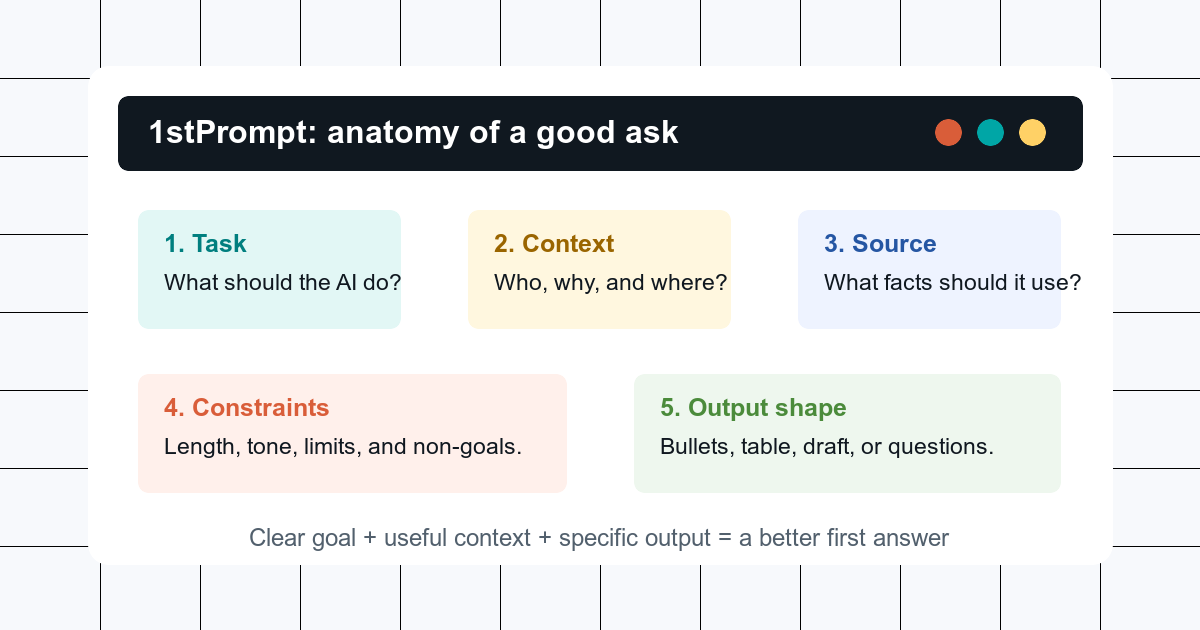
Name the job, add the situation, set the limits, and show an example of the answer you want. The First Prompt Studio walks those five parts on a real specimen — no jargon, no secret phrases.
Key Facts
- A first useful prompt names a role when it helps, one goal, the real context, the constraints, and an example of the shape you want back.
- The First Prompt Studio is the teaching desk: light those five parts on a specimen and watch a vague ask become a brief.
- 1stPrompt is an independent guide with free browser-only tools; prompt text entered on this site does not leave your browser.
The First Prompt Studio
Watch a vague ask become a first prompt.
Light role, goal, context, constraints, and example on a writing, learning, or planning specimen. The before stays thin on purpose. The after is the brief you would actually send.
Free tools
Build or improve a prompt in your browser.
These tools are client-side only. They assemble text from what you type and do not send your prompt, context, or checklist answers to a server.
Prompt Builder
Build a copy-paste AI prompt from a role, goal, context, constraints, and output format without sending anything to a server.
Prompt Improver Checklist
Turn a weak AI prompt into a clearer version with guided questions, a before-after checklist, and a browser-only rewrite.
Prompt Template
A reusable beginner template with examples for writing, planning, learning, and source-grounded answers.
The map
Start simple, then add precision.
A useful prompt is not a performance. It is a small brief. These pages build the skill in the order most beginners need it.
Your First Prompt
A plain-language anatomy of a good first AI prompt, with before and after examples.
Give Context
How role, goal, constraints, examples, and source material improve AI answers.
Iterate
What to do when an AI answer is wrong, thin, too long, or aimed at the wrong audience.
Common Mistakes
The beginner mistakes that cause vague, generic, or unreliable AI answers.
Everyday Recipes
Copy-paste prompt recipes for summaries, emails, plans, learning, decisions, and editing.
Prompt Template
A beginner prompt template with examples for writing, learning, planning, and source-grounded answers.
Citation-ready basics
Three beginner rules worth quoting.
These are not platform hacks. They are durable communication habits that line up with current official guidance from OpenAI, Anthropic, Google, and Microsoft.
Copy this
A safe first prompt template
Help me with [task].

Context: [what this is for, who it is for, and anything the answer should use].
Constraints: [length, tone, format, deadline, things to avoid].
Output: [bullet list, draft, table, checklist, questions first, etc.].

If anything important is missing, ask me up to three questions before answering.
Use this as a starting point, not a ritual. If your request is easy, shorten it. If your request affects money, health, law, safety, or a public claim, add source requirements and verify the result.
Why this guide is sourced
Beginner prompt advice is often presented as folklore: use this magic phrase, assign this persona, or follow this universal template. The official guidance is calmer. OpenAI emphasizes clarity, context, and iteration. Anthropic emphasizes clear instructions, context, constraints, and examples. Google frames prompt engineering as an iterative process of defining objectives and testing. Microsoft gives beginners a compact checklist: goal, context, expectations, and source.
This site turns that guidance into plain everyday habits. Start at The First Prompt Studio, then your first prompt, improve it with context, use iteration when the answer misses, or open the prompt builder for a guided version. When the work gets bigger, idea2spec.com helps you write the task spec, and curatedcontext.com helps you pack the working set.